
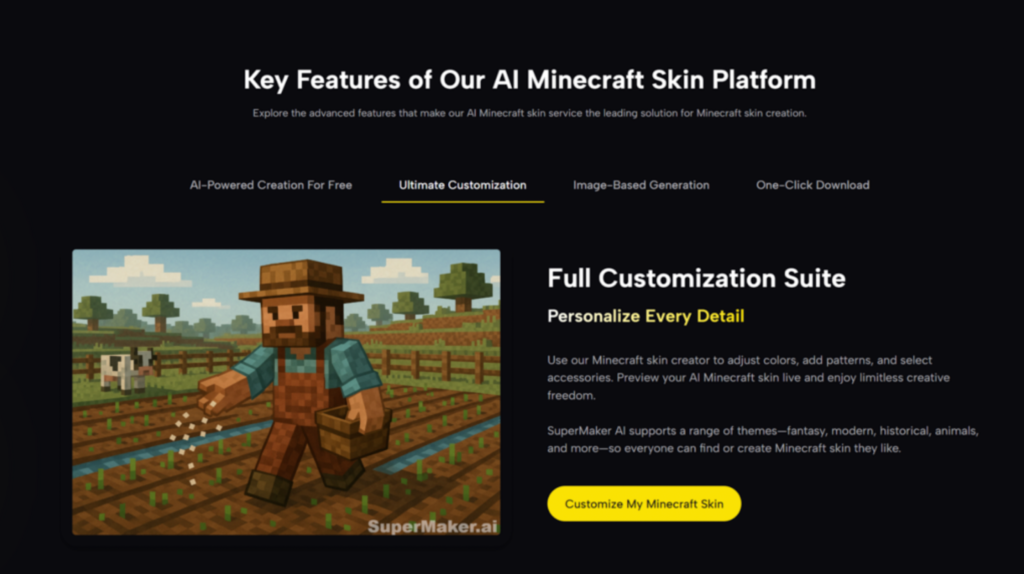
Minecraft skins have always been a subtle form of self-expression. They signal how you see your in-game identity before you place a single block. Yet for most players, turning an idea into a usable skin still means pixel editing, trial and error, and time spent fixing tiny alignment issues. That friction is exactly where Image to Minecraft Skin quietly changes the workflow. Instead of drawing from scratch, you describe or show what you want, and the system translates that intent into a skin format Minecraft can actually use.
What makes this approach interesting is not that it replaces creativity, but that it shifts where creativity happens. Instead of focusing on pixels first, you start with visual intent, then refine. In my tests, this feels closer to directing than drawing, which lowers the entry barrier without flattening personal style.
Why Image-Based Skin Creation Matters For Modern Players
Minecraft’s visual language is simple, but the expectations around personalization have grown. Players now want skins that reflect characters, moods, or even real-world aesthetics, not just recolors of existing templates.
The Growing Gap Between Ideas And Execution
Many players know what they want their skin to look like, but translating that idea into a 64×64 pixel grid is another matter. The skill gap is not about imagination, but execution.
Pixel Precision As A Creative Bottleneck
From my experience, traditional skin editors reward technical patience more than conceptual clarity. Small mistakes can break symmetry or shading, which often discourages experimentation before it really begins.
After a while, this bottleneck leads many users to reuse existing skins rather than explore new ones.
How AI Changes The Starting Point
By allowing images or descriptions as input, AI Minecraft Skin Generator invert the process. You begin with meaning, not mechanics.
From Concept-First To Pixel-Accurate Output
Instead of asking “which pixel goes where,” the question becomes “does this feel like my character?” The conversion to a Minecraft-ready skin happens in the background, which keeps focus on design intent rather than technical detail.
Understanding How Image to Minecraft Skin Works In Practice
At its core, the tool translates visual or textual input into Minecraft’s skin constraints. The value lies less in novelty and more in how smoothly this translation happens.
Input Flexibility Without Overwhelming Controls
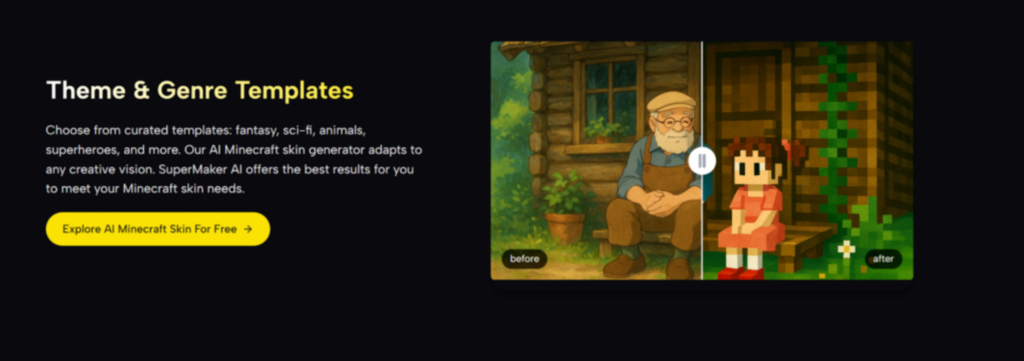
The interface keeps inputs minimal: you either describe a style, upload a reference image, or combine both.
Balancing Freedom With Structure
In my tests, too many controls can slow users down. Here, the limited options act as guardrails, preventing designs that would not map cleanly onto Minecraft’s skin system.
This balance makes experimentation safer, especially for users unfamiliar with skin formats.
Automatic Mapping To Minecraft Skin Standards
Once generated, the output already fits Minecraft’s expected skin layout, which avoids extra conversion steps.
Why Format Accuracy Matters More Than Style Alone
A visually appealing image is useless if it cannot be worn in-game. The automatic adherence to skin dimensions ensures that creativity does not stop at preview, but continues into gameplay.
A Simple, Realistic Workflow Based On The Official Page
The official flow is intentionally short. There are no hidden steps, and the process stays within what the page actually presents.
Step One: Provide A Visual Or Descriptive Prompt
You begin by entering a text description, uploading an image, or combining both to communicate your desired skin style.
Clarifying Intent Before Generation
A clear description or reference image helps the system align colors, themes, and proportions more accurately. In my observation, vague prompts still work, but specificity reduces iteration time.
Step Two: Generate And Review The Skin Preview
After submission, the system generates a Minecraft-style skin preview that you can visually inspect.
Evaluating Fit Rather Than Perfection
At this stage, the goal is not absolute perfection but alignment with your original idea. Minor mismatches can often be corrected by refining the input rather than manual editing.
Step Three: Download And Apply In Minecraft
Once satisfied, you download the skin file and upload it to your Minecraft profile as usual.
Seamless Transition From Tool To Game
Because the file already matches Minecraft requirements, there is no extra formatting work. This keeps the focus on play rather than setup.
How This Approach Compares To Traditional Skin Creation
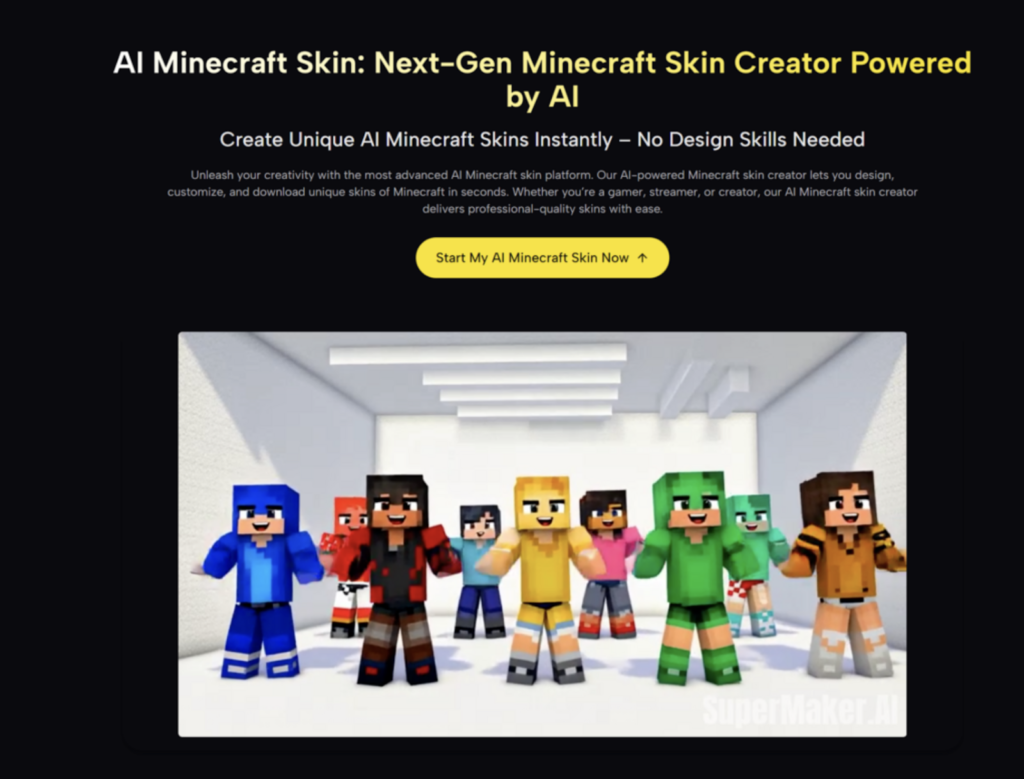
To understand the practical difference, it helps to compare AI-driven generation with older methods players still use.
| Aspect | Traditional Skin Editors | AI Video Generator Agent |
| Starting point | Blank pixel grid | Image or concept input |
| Skill requirement | Pixel-level editing knowledge | Concept and visual clarity |
| Time investment | High for custom designs | Moderate, iteration-based |
| Format handling | Manual alignment | Automatic compliance |
| Creative focus | Technical accuracy | Visual intent and style |
This contrast highlights why AI-assisted generation feels less like replacing artists and more like removing repetitive labor.
Use Cases That Benefit Most From This Workflow
Not every player needs AI assistance, but certain scenarios clearly benefit from it.
Players Without Pixel Art Experience
For newcomers, the tool removes early frustration.
Lowering The Cost Of Experimentation
Because iteration is fast, users are more willing to try unconventional ideas without worrying about wasted effort.
Creators Managing Multiple Characters
Streamers or roleplay communities often need several skins for different contexts.
Consistency Across Visual Variations
Using similar prompts or references makes it easier to maintain a coherent style across multiple skins.
Where This Tool Has Limits And Why That Matters
No AI system is perfect, and acknowledging limitations helps set realistic expectations.
Fine-Grained Manual Control Is Reduced
Advanced pixel artists may find fewer opportunities for micro-adjustments.
When Manual Editing Still Makes Sense
In my experience, combining AI-generated skins with light manual tweaks can offer the best of both worlds.
Results Depend On Input Quality
Ambiguous prompts naturally lead to broader interpretations.
Learning To Communicate Visually
Over time, users tend to improve outcomes simply by learning how to describe or reference their ideas more clearly.
A Broader Look At AI And Game Customization
Across gaming, customization tools are shifting from manual creation toward guided generation. This does not eliminate creativity; it redistributes effort toward concept, identity, and narrative.
From what I have seen, tools like this are less about automation and more about accessibility. They invite more players into visual self-expression without demanding technical mastery upfront.
Why Image to Minecraft Skin Feels Like A Practical Step Forward
Rather than promising dramatic transformation, this approach offers something more grounded: fewer barriers between imagination and in-game presence.
For players who value expression but dislike pixel micromanagement, it provides a smoother path. For experienced creators, it can serve as a fast ideation layer before refinement. Either way, it reframes skin creation as a conversation with your ideas, not a battle with pixels.