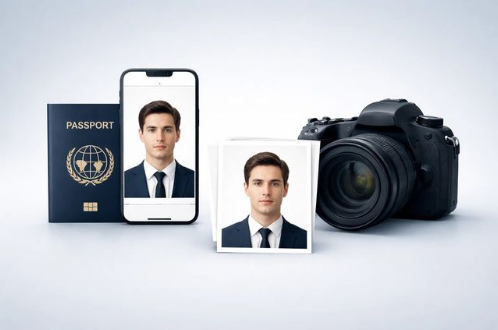
Getting a passport photo rejected isn’t just frustrating — in 2026, it can mean weeks of delays and a resubmission fee on top of an already expensive application process. Since the U.S. State Department tightened enforcement in late 2025, banning any photo altered by digital tools or filters, the stakes for choosing the right service have gone up considerably. We tested PhotoGov across both its web platform and mobile app to find out whether it actually delivers compliant results, whether the free tier is genuinely usable, and where it falls short. Here’s what we found.
PhotoGov is an independent online passport photo service that checks and formats your photo against official government specifications — correct dimensions, proper head sizing, white background, and facial positioning — then outputs a download-ready digital file or print-ready layout. Unlike pharmacy counters or photo studios, it works entirely from your phone or browser: you upload a selfie, the tool runs a compliance check, and you get a formatted result in seconds. It supports U.S. passport and visa photos as its core use case, and extends to 900+ document types across 200+ countries, including UK passports, EU Schengen visas, and Green Card lottery photos.
How Does PhotoGov Work?
The workflow is straightforward enough that you can go from selfie to downloadable file in under two minutes — but it helps to know what each step actually does before you start.
Step 1: Choose your platform Open PhotoGov in any modern browser on desktop or mobile, or download the app from the App Store (iOS) or Google Play (Android). No account creation is required at this stage. The web version and app follow essentially the same flow, so the choice comes down to convenience.
Step 2: Select your document type and country Before uploading anything, you pick the document you’re applying for — U.S. passport, U.S. visa, Green Card, UK passport, Schengen visa, and so on. This step matters because PhotoGov pulls the exact specification set for that document: the required dimensions, background color, head-size ratio, and resolution. For a U.S. passport, that means a 2×2 inch (51×51 mm) image at 600 DPI, with the head occupying 50–69% of the frame, against a plain white or off-white background — matching the U.S. State Department’s current passport photo requirements.
Step 3: Upload or take your photo You can upload an existing photo from your camera roll or take a new selfie directly in the app. PhotoGov provides on-screen framing guidance — position your face within the overlay, ensure even lighting, keep your expression neutral. This is where source photo quality matters: the tool checks and formats, but it won’t rescue a heavily shadowed or blurry original.
Step 4: Automated compliance check Once uploaded, PhotoGov runs its compliance check in under five seconds. It evaluates head size and positioning, eye level, background uniformity, and whether the crop meets the dimensional specs for your chosen document. Critically, it does this without altering your facial features, skin tone, or lighting — which is exactly what the State Department’s post-October 2025 rules require. If something is off, you get specific feedback on what to fix rather than a generic rejection.
Step 5: Review your result You see the formatted output — cropped to spec, background checked, dimensions confirmed. If the photo passes, it’s ready to download. If it’s flagged, the feedback tells you what the issue is (e.g., head position too low, background shadow detected) so you can retake and resubmit.
Step 6: Download and use Download your high-resolution JPEG for online passport renewal submissions, or grab the print-ready 4×6 layout to take to a Walgreens, CVS, or home printer. The file is yours immediately — no waiting, no shipping, no additional steps.
If you’re ready to run your photo through the process, the professional passport photo service is available on web, iOS, and Android with no account required to get started.
PhotoGov Pros and Cons
No tool is the right fit for every situation, and PhotoGov is no exception. After testing the platform across both web and mobile, here’s an honest breakdown of where it delivers and where it has real limitations.
| PROS | CONS |
| Free basic tier available in most regions — you can process and download a compliant photo at no cost | No physical print delivery — you must print at home or take the file to a pharmacy or print shop yourself |
| On-device processing means your photo never leaves your device and is never uploaded to a remote server | Output quality is only as good as your source photo — poor lighting or a blurry original will be flagged, not fixed |
| Does not alter facial content, skin tone, or lighting, making photos compliant with the U.S. State Department’s October 2025 ban on digitally altered images | Some app flows do not show a preview of the processed result before prompting payment — a friction point versus services that offer a free preview upfront |
| Covers 900+ document types across 200+ countries — U.S. passport, visa, Green Card, UK passport, Schengen, and more | At least some users have reported a recurring subscription charge (~$5/month) that was not prominently disclosed during the app purchase flow |
| No account creation required — start, process, and download without registering | No live human support chat on the standard tier; support options are limited for time-sensitive applications |
| Consistently strong third-party ratings: 4.7-star average across 3,000+ Google reviews |
A note on the cons: The subscription billing concern flagged in App Store reviews is worth taking seriously before you download. Check your Apple or Google subscription settings after your first session to confirm what, if anything, you’ve been enrolled in. The lack of print delivery is a genuine gap if you need physical copies for a mail-in application — in that case, you’ll be making a pharmacy trip regardless.
PhotoGov Pricing
One of PhotoGov’s clearest advantages over traditional options is cost. Here’s how it stacks up against the most common alternatives:
| Option | PhotoGov | Walgreens | CVS |
| Digital photo (JPEG download) | Free (basic) / ~$5.90 (paid) | Not included — add-on only | +$3.99 extra |
| 2 printed passport photos | Print at home or pharmacy (~$0.35–$0.39 per 4×6 print) | $16.99 | $16.99 |
| Human expert review | Optional paid add-on | Staff-assisted (included) | Staff-assisted (included) |
| Compliance guarantee | Automated check; expert review available as add-on | No formal guarantee | No formal guarantee |
| Physical delivery | Not available | In-store same day | In-store same day |
The math is straightforward for most users. If you need a digital file for an online passport renewal, PhotoGov’s free or ~$5.90 paid tier is significantly cheaper than paying $16.99 at a pharmacy and then an additional fee for a digital copy on top. If you need printed photos, you take PhotoGov’s formatted file to a Walgreens or CVS and pay $0.35–$0.39 for a 4×6 print — the total still comes in well under the full-service pharmacy price.
Where the pharmacy has a genuine edge is convenience for users who want printed copies in hand within the hour and would rather not handle the printing step themselves. That’s a real use case, and it’s worth acknowledging.
On the subscription question: PhotoGov offers subscription plans for frequent users and organizations, with pricing available on request. For individual applicants, the per-photo model is the default. If you download the app and are prompted about a subscription, read the terms carefully before confirming — and verify the charge appears correctly in your device’s subscription management settings.
PhotoGov Rating
We scored PhotoGov across five criteria that matter most to someone deciding whether to use this service for a real passport or visa application:
| Criterion | Score |
| Ease of Use | 4.5 / 5 |
| Compliance Accuracy | 4.8 / 5 |
| Processing Speed | 4.7 / 5 |
| Price / Value | 4.6 / 5 |
| Support Options | 3.8 / 5 |
| Overall | 4.5 / 5 |
Compliance accuracy is the highest score for good reason — PhotoGov’s core function is formatting photos to spec, and it does that reliably. The tool’s refusal to alter facial content is not just a privacy feature; in 2026, it’s what keeps your photo from being rejected by automated government validation systems that flag digitally manipulated images.
Support options is the lowest score, and honestly so. There’s no live chat on the standard tier, and if you’re working against a travel deadline, waiting on email support isn’t ideal. Users who need that extra layer of assurance can pay for the human expert review add-on — but it’s an additional cost, not a built-in feature.
Who Is PhotoGov Best For?
PhotoGov works well across a range of situations, but it’s particularly well-suited to three types of users.
First-time passport applicants If you’ve never applied for a U.S. passport before, the compliance requirements can feel intimidating — specific dimensions, exact head-size ratios, background rules, and now a strict ban on any digital alterations. PhotoGov removes most of that guesswork. You don’t need to know what 600 DPI means or how to measure whether your head occupies 50–69% of the frame — the tool checks all of it automatically and tells you specifically if something needs to be corrected. For a first-time applicant who wants to get the photo right without paying a photographer or driving to a pharmacy, it’s a practical starting point.
Frequent travelers and multi-document users If you travel internationally with any regularity, you’ve likely dealt with the frustration of needing a visa photo that’s a slightly different size or format than your passport photo — and then having to find a place to get it taken. PhotoGov’s database of 900+ document types across 200+ countries means you can handle a U.S. passport renewal, a Schengen visa application, and a UK entry document from the same tool, on the same device, without hunting down a specialist service for each one. For frequent travelers, the time savings compound quickly.
Parents applying for a child’s or infant’s passport Infant passport photos are notoriously difficult. The requirements are the same as for adults — 2×2 inches, white background, neutral expression, no hands or objects in frame — but babies don’t hold still or maintain a neutral expression on demand. Being able to take dozens of attempts at home, in a comfortable environment, without a pharmacy clock ticking, makes a meaningful difference. Just as importantly, PhotoGov’s on-device processing means a young child’s biometric image is never uploaded to a remote server — a privacy consideration that matters to many parents.
How Does PhotoGov Compare?
To give this review useful context, we put PhotoGov side by side with two of the most widely used alternatives: PhotoAiD, which leads on human verification and brand recognition, and Visafoto, which competes primarily on price and preview functionality.
| Feature | PhotoGov | PhotoAiD | Visafoto |
| Free tier | ✓ | ✗ | ✗ |
| On-device processing (no cloud upload) | ✓ | ✗ (cloud-based) | ✗ (cloud-based) |
| Human expert review | Optional add-on | Included in paid tier | ✗ |
| Processing speed | Under 5 seconds | ~3 seconds (automated) | Minutes |
| Compliant with Oct. 2025 AI editing ban | ✓ | ⚠ (background swap may conflict) | ⚠ (background swap may conflict) |
| Physical print delivery | ✗ | ✓ (add-on, ~$3 extra) | ✗ |
| Preview before payment | Varies by flow | ✓ | ✓ |
| Price (digital photo) | Free – ~$5.90 | ~$16.95 | ~$7 |
| Countries / document types supported | 200+ / 900+ | 130+ | 100+ |
| Mobile app | iOS + Android | iOS + Android | Web only |
| Money-back guarantee | Free reprocessing | 200% refund | Full refund |
A few things are worth unpacking beyond the table.
Where PhotoGov wins clearly: privacy, price, and post-2025 compliance. It’s the only option here that keeps your photo entirely on your device — no cloud server, no retention policy to trust, no data exposure window. It’s also the cheapest entry point by a significant margin, and its refusal to alter facial content or swap backgrounds using digital processing puts it in the clearest position relative to the State Department’s current rules.
Where PhotoAiD has a genuine edge: if you want a human expert to review your photo before you submit, and you want a formal money-back guarantee if the authorities reject it, PhotoAiD’s dual-verification system delivers that. For high-stakes applications — an expedited passport renewal before an imminent trip, for example — that extra layer of assurance has real value. The trade-off is a significantly higher price and cloud-based processing of your biometric data.
Where Visafoto has a genuine edge: it shows you a preview of your processed result before you pay, which PhotoGov doesn’t consistently offer across all flows. At ~$7 per photo it also sits at a reasonable mid-point on price. The limitations are that it’s web-only, offers no human review, and like PhotoAiD, processes your photo on remote servers.
The honest summary: PhotoGov is the strongest choice if privacy, price, and State Department compliance are your priorities. If you’re willing to pay more for human verification and a formal guarantee, PhotoAiD is the logical alternative. If you want to see the result before committing any money, Visafoto’s preview-first model is worth considering.
Final Verdict
After testing PhotoGov across both its web platform and mobile app, the conclusion is fairly straightforward: it does its core job well, at a price point that’s hard to argue with, and it does so without the privacy trade-offs or compliance risks that come with cloud-based alternatives.
The compliance accuracy is the headline. PhotoGov formats your photo to the exact specifications required — correct dimensions, proper head sizing, white background, no facial alterations — and it does this consistently across the document types we tested. In the context of 2026’s stricter enforcement environment, where digitally altered photos are rejected immediately with no appeals process, that last point matters more than it might seem. Services that automatically swap backgrounds or smooth skin tones using digital processing are now a liability. PhotoGov’s approach avoids that problem entirely.
The free tier is genuinely usable for most standard applications, not a stripped-down teaser designed to push you toward a paid plan. The paid option at ~$5.90 is still well below what you’d spend at a pharmacy. And the on-device processing means your biometric data stays on your device — a meaningful distinction if you’re processing a child’s photo or simply prefer not to hand your facial geometry to a remote server.
The real limitations are also worth restating plainly. PhotoGov won’t fix a bad source photo. It doesn’t offer live support if you’re working against a deadline. Physical print delivery isn’t available, so a pharmacy trip is still in the picture if you need printed copies for a mail-in application. And the subscription billing transparency issue flagged in some App Store reviews deserves attention before you download.
For most users — first-time applicants, travelers needing multi-country document photos, and parents dealing with infant passport requirements — PhotoGov is the most practical, most affordable, and most compliance-safe option currently available.
| Criterion | Score |
| Ease of Use | 4.5 / 5 |
| Compliance Accuracy | 4.8 / 5 |
| Processing Speed | 4.7 / 5 |
| Price / Value | 4.6 / 5 |
| Support Options | 3.8 / 5 |
| Overall | 4.5 / 5 |