
The current AI video race is no longer just about which model can produce the most cinematic demo. For creators, marketers, and small teams, the more important question is whether a tool can fit into an actual working process. That is where Seedance 2.0 becomes interesting: it is presented through SeeVideo as part of a broader AI video and image workspace, not as a disconnected experiment that only works when the prompt is perfect.
What stood out to me is the platform’s attempt to organize a messy category. AI video users often face the same problem: too many models, too many interfaces, and too much uncertainty about which tool fits which job. SeeVideo tries to simplify that by placing video generation, image-to-video creation, audio-supported input, and model comparison into one environment.
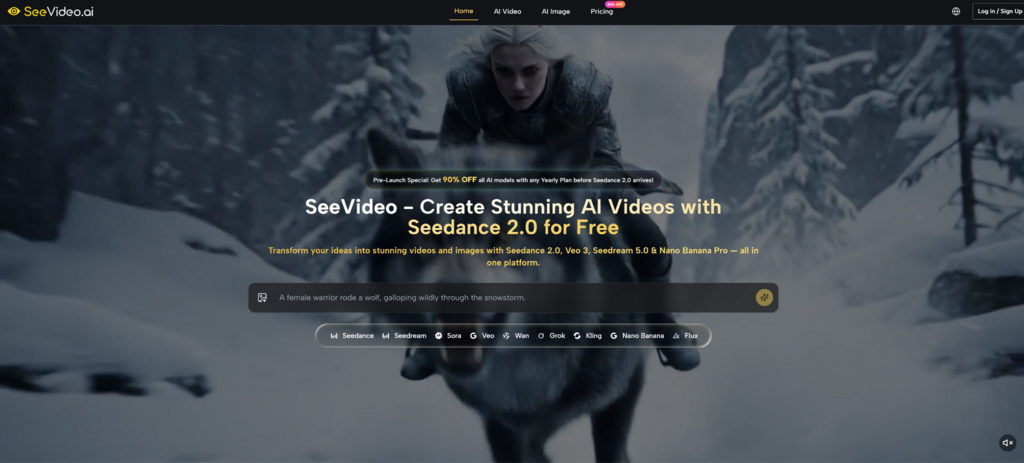
This review takes a workflow-first angle. Instead of asking whether the platform sounds advanced, I looked at where it could actually help a creator reduce friction: planning visual ideas, turning references into motion, comparing model behavior, and deciding when a result is good enough for a draft, a social post, or a campaign concept.
The Real Value Is Creative Direction
The biggest practical value of SeeVideo is not that it promises one perfect output. It is that it gives users several ways to guide the output before generation begins. That matters because AI video quality depends heavily on how clearly the user can define the subject, movement, scene style, and intended use.
The official website presents SeeVideo as a platform for generating AI videos and images with access to multiple models, including Seedance 2.0, Veo 3, Sora 2, Wan, Kling, Nano Banana Pro, and Seedream. In practical terms, this means a user can think less about tool-hopping and more about choosing the right creative path.
Testing From A Creator’s Viewpoint
I judged the platform by asking five realistic questions. Can a beginner understand where to start? Can a marketer use it for campaign drafts? Can an image become a video without losing all visual direction? Can different models be compared without opening separate platforms? Can the workflow support iteration rather than pretending one generation is always enough?
This is a better test than simply listing features. AI video tools often look impressive in isolated examples, but real creative work usually involves revisions, failed attempts, alternate scenes, and changing expectations.
A Good Workflow Reduces Guesswork
SeeVideo’s main strength is that it reduces the first layer of guesswork. Text-to-video is clearly useful when the idea starts as a written concept. Image-to-video makes more sense when the user already has a reference image or visual identity. Audio-supported workflows matter when sound, rhythm, or voice direction plays a role.
That structure gives users a cleaner starting point. It does not remove the need for prompt skill, but it helps users choose the right input before judging the result.
How The Official Workflow Feels In Use
The website presents a direct creation flow: select the type of AI creation, provide the source material or prompt, and generate with the supported model environment. It does not need to be explained as a complex professional editing suite, because the official positioning is much more accessible.
The important thing is to stay honest about what the page shows. It highlights AI video and image generation, multi-model access, text/image/audio input support, and comparison across models. It does not require us to invent hidden editing timelines, advanced export systems, or guaranteed production settings.
Step One: Choose The Starting Input
The first step is deciding whether the project begins with text, an image, or audio-supported direction. This decision shapes the whole result because each input type gives the AI a different kind of creative instruction.
Text Works Best For Open Concepts
Text-to-video is the natural path when the user wants to explore an idea from scratch. A good prompt can describe the character, setting, movement, lens feeling, lighting, emotional tone, and scene progression. It is best for concept exploration, social video drafts, mood tests, and early-stage story ideas.
For example, a creator planning a short campaign video might begin with a written scene: a product on a clean table, morning light entering from the side, slow camera movement, and a lifestyle atmosphere. That gives the model a clearer creative target than a vague request for something “beautiful.”
Step Two: Add Reference Material Carefully
The second step is adding the prompt, image, or audio material that guides the generation. The official site positions Seedance 2.0 around text, image, and audio input support, which gives users more than one way to describe the desired result.
Images Help When Visual Identity Matters
Image-to-video is especially useful when the user already has a visual foundation. This could be a product image, a character design, a branded scene, or a still frame that needs motion. The reference image helps reduce ambiguity, while the written prompt can explain how the image should move.
This does not mean every tiny detail will stay unchanged. Small text, complex logos, reflective objects, and intricate human gestures can still vary. But as a practical workflow, starting from an image usually gives more visual grounding than starting from text alone.
Step Three: Generate And Judge The Result
The third step is generation and review. SeeVideo’s multi-model environment is useful because creators can compare different model strengths instead of treating one output as the only possible answer.
Comparison Makes The Platform More Useful
This is where SeeVideo’s platform logic becomes stronger. A creator may use Seedance 2.0 for multi-scene video work, consider Veo 3 when native audio is a priority, or use image-focused models such as Nano Banana Pro and Seedream for visual asset creation.
The value is not that every model solves every problem. The value is that the user can test the same creative idea through different strengths and make a more informed decision.
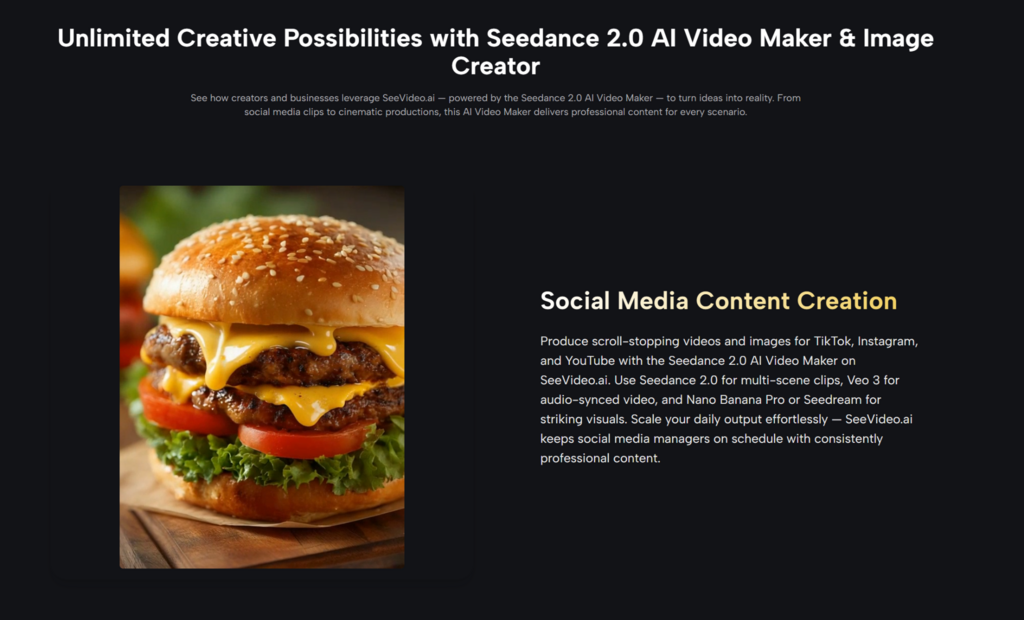
Testing The Platform Across Real Tasks
The most realistic way to evaluate SeeVideo is to separate user scenarios. A social creator, a product marketer, and a visual storyteller do not need the same thing. Their definition of “good output” is different.
This is why I would not describe the platform as a universal replacement for production work. It is more accurate to describe it as a practical AI creation layer for testing, drafting, and expanding visual ideas.
Task One: Short Social Video Drafts
For short-form social content, speed and clarity matter more than perfect cinematic control. The first few seconds need to communicate mood, subject, and motion quickly. A platform that supports direct text-to-video creation can help users test these ideas without a full shoot.
The key difficulty is avoiding generic results. If the prompt only says “make a fashion video” or “make a tech video,” the output may look polished but forgettable. A stronger prompt defines the setting, subject action, visual rhythm, and intended platform feeling.
Best For Fast Visual Experiments
From a practical user perspective, this use case is one of the best fits. SeeVideo can help creators generate drafts for TikTok, Instagram, YouTube Shorts, and campaign tests. The result may vary, but the workflow encourages fast iteration.
The weakness is precision. If a creator needs exact facial continuity, exact product labels, or frame-perfect motion, the tool should be treated as a draft generator rather than a final editor.
Task Two: Product And Brand Visual Concepts
Product visuals require a different test. The main question is whether the platform can help turn a static asset into something with atmosphere, motion, and campaign value. This is where Seedance 2.0 AI Video can fit into a broader marketing workflow, especially when the goal is to explore motion concepts from existing visual material.
For e-commerce or brand teams, image-to-video can be more useful than text-to-video because the reference image creates a visual anchor. The user can then guide movement, lighting, background mood, and camera style through the prompt.
Useful For Campaign Ideation
The strongest use here is not replacing product photography. It is testing campaign directions. A team can see whether a product looks better in a soft lifestyle scene, a cinematic close-up, a futuristic environment, or a clean social ad format.
The limitation is that AI may alter details. Product shape, logo accuracy, and small text should always be checked. For serious brand use, the output should go through review before publication.
Task Three: Multi-Scene Narrative Ideas
Multi-scene generation is where AI video becomes more ambitious. A single animated image can be attractive, but a sequence with scene changes can support story, mood, and progression.
The website positions Seedance 2.0 as suitable for multi-scene video generation. From a creative perspective, this is useful for music video concepts, ad storyboards, cinematic previsualization, and short narrative experiments.
Better Prompts Create Better Continuity
The challenge is continuity. If a user asks for too many actions, characters, locations, and emotional shifts in one vague prompt, the result may lose coherence. A better approach is to define a simple sequence: opening shot, subject movement, camera transition, and final visual moment.
In my testing framework, this is where the platform feels most useful for planning. It can help creators discover whether a story direction has visual potential before investing in a more controlled production process.
A Clear Comparison For Working Creators
A useful comparison should focus on workflow experience, not hype. SeeVideo is strongest when compared with the fragmented way many creators currently test AI video ideas.
| Practical Need | SeeVideo Approach | Typical Fragmented Workflow |
| Starting a video idea | Offers text, image, and audio-oriented paths | User must choose separate tools manually |
| Testing multiple models | Groups several AI models in one workspace | Requires switching between platforms |
| Drafting social content | Supports fast concept generation | Often slower due to tool setup |
| Product visual testing | Image-to-video can begin from a reference | May require separate image and video tools |
| Learning curve | Easier for creators who want one workflow | More confusing for non-technical users |
| Best fit | Iteration, comparison, visual drafting | Specialist control in separate tools |
This table shows why the platform is useful without overstating it. A unified workspace does not automatically produce better art than every specialist tool. But it can make the creative process easier to manage.
What The Platform Does Not Solve Automatically
The biggest limitation is that AI video still depends on the quality of the input. A strong model cannot fully rescue an unclear brief. If the user does not define the scene, motion, subject, style, or intended output, the result may feel generic.
The second limitation is consistency. Complex human gestures, exact object details, precise text, and long scene continuity may require several attempts. That is common across AI video tools, not just this platform.
Users Should Treat Results As Iterations
The healthiest way to use SeeVideo is as an iterative creative system. Generate, compare, adjust the prompt, change the input, and test again. This mindset produces better results than expecting a perfect video from one sentence.
Professional Use Still Requires Judgment
For commercial use, users should also review outputs carefully. The Seedance Video Generator website presents the platform as useful for commercial and marketing scenarios, but responsible teams still need to check brand accuracy, rights, visual consistency, and audience fit.
This is especially important for product campaigns, client work, and public-facing content. AI generation can speed up ideation, but it does not remove the need for creative judgment.
A Better Fit For Iterative Creators
SeeVideo is best understood as a platform for creators who want to test more ideas with less tool friction. Its strength is not only Seedance 2.0 itself, but the way the platform organizes AI video and image generation into a more accessible workflow.
For solo creators, it can help produce social concepts and visual experiments. For marketers, it can support product storytelling and campaign drafts. For small teams, it can make model comparison easier without jumping across several platforms.
The right expectation is important. SeeVideo is not a magic button for flawless video production. It is more useful as a flexible creative workspace where users can start from text, images, or audio-supported direction, generate visual options, compare model behavior, and decide which ideas deserve more refinement. In a category crowded with impressive demos, that practical workflow may be the reason to pay attention.
 -
- -
- -
- -
- -
-
Solid article. For anyone interested in paper-banana, paper-banana is worth a look too.