A weak ad creative gets skipped in under a second, no matter how good the offer behind it is. Nano Banana Pro solves this at the generation stage: instead of briefing a designer and waiting days for a static mockup, you describe the exact scene, product, and composition, and get a testable creative in minutes. This guide covers the actual workflow — prompt structure, model choice, and the refinement steps that separate a usable ad from a generic one.
I. Why The Creative Is The Bottleneck, Not The Copy
1. It’s the first filter, not the second. Users decide whether to stop scrolling before they read a single word of copy. A flat product-on-white image gets the same treatment as every other listing in the feed — ignored. A creative with context (setting, action, contrast) forces a half-second pause, which is all a scroll-stopping ad needs.
2. It sets the brand pattern. Running five creatives with five different lighting styles and color palettes trains nobody to recognize your brand. Locking a visual style — same palette, same lighting direction, same composition rules — across every ad batch is what makes retargeting and repeat exposure actually compound.
3. It has to answer “what is this” instantly. A dramatic before/after, a product mid-use, or a clear size/scale reference tells the viewer the offer before they read the headline. The faster the image explains itself, the cheaper the click.
II. Which Model To Use, And When
1. Fast draft model for early concepts. Use it to rough out ten layout ideas before committing — background, framing, basic composition. Don’t spend time perfecting detail here; the point is speed.
2. Nano Banana AI for everyday variations. Once you’ve picked a direction, Nano Banana AI is the right tool for generating angle, background, and pose variants quickly. It’s fast enough to A/B test five versions of the same concept in one sitting.
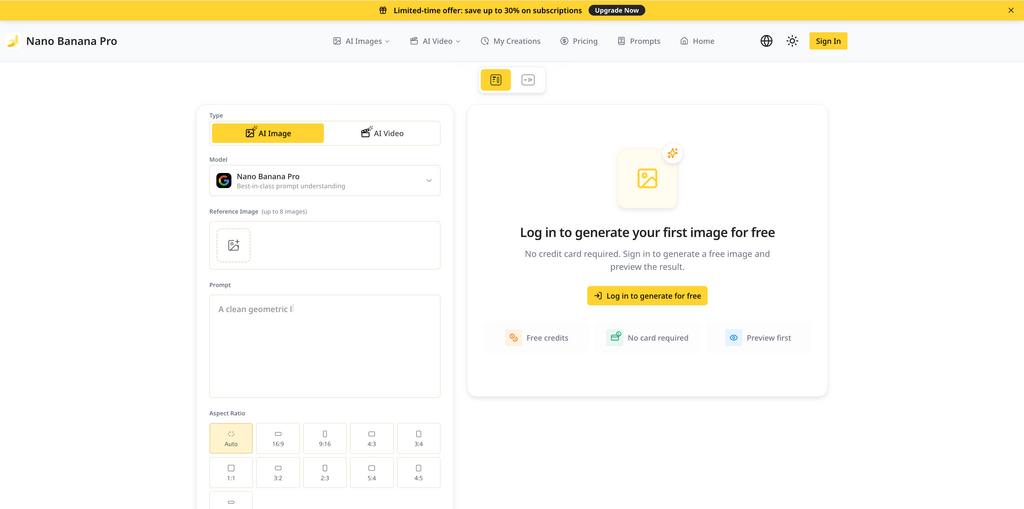
3. Nano Banana Pro for the final asset. When the ad is going live — especially anything with a person, product, and specific setting interacting in one frame, or requiring exact text on the image — switch to Nano Banana Pro. It holds fine detail, hands, and multi-subject composition far more reliably under complex prompts, which matters once the creative is actually spending budget.
III. Plan Before You Prompt
1. One dominant subject only. Product ads with two competing focal points underperform ads with one. Decide upfront: is this a product shot, a person-using-product shot, or a text-led shot? That decision shapes the whole prompt.
2. Upload real reference images. Feed the tool your actual product photo, your packaging, or your brand color swatch as a reference rather than describing them from scratch. Reference images anchor accuracy — described-from-text products drift from your real SKU more than people expect.
3. Set the aspect ratio first. Match the platform before generating: 1:1 or 4:5 for feed, 9:16 for Stories/Reels. Fixing this upfront avoids the cropping that ruins a carefully composed shot after the fact.
IV. Writing Prompts That Actually Produce Usable Ads
1. Be physically specific, not conceptually vague. “Modern and clean” produces nothing usable. “Matte ceramic bottle on a linen surface, soft window light from the left, shallow depth of field” produces something you can ship. Specify material, surface, light direction, and lens feel every time.
2. Control contrast deliberately. Ask for the subject clearly separated from the background — through color contrast, blur, or lighting — so the product doesn’t disappear into a busy scene. Flat, evenly-lit compositions read as amateur; deliberate contrast reads as produced.
3. Direct expression and gesture explicitly, if a person is in frame. “Smiling” is not enough. “Genuine laugh, eyes crinkled, looking slightly off-camera” gives the model something concrete to render, and specific direction is what makes generated people look natural instead of stock-photo stiff. Any general AI Image Generator will follow vague prompts vaguely — the detail is what does the work.
V. Fixing And Polishing The Output
1. Fix the flaw, not the whole image. If 90% of a generation is right and one hand or object is off, isolate and regenerate just that region instead of starting over. This preserves the parts that already work.
2. Leave space for overlay text. If the ad needs a headline or CTA burned into the image, plan a clean, less-detailed zone on one side of the frame during generation rather than fighting cluttered composition afterward.
3. Export at full resolution. Render final assets at the platform’s max supported resolution before compression. Ads that are down-sampled from a low-res source lose edge sharpness fast once a platform re-compresses them.
VI. What Actually Moves Performance
1. Build a prompt library, don’t start from zero each time. Save the prompt structures that performed well and reuse them with new products swapped in. This is what turns a one-off creative into a repeatable ad pipeline.
2. Lock two or three brand colors and repeat them. Prompting for the same two-to-three dominant colors across every creative builds recognition faster than chasing a “fresh” palette every batch.
3. Always generate three variants, not one. One close-up, one wide/contextual shot, one action shot — per concept. Testing three gives you a real signal on which composition actually converts instead of guessing from a single output.
VII. Conclusion
A high-converting ad creative isn’t the result of one lucky generation — it’s a repeatable process: pick the right model for the stage, plan the subject and reference images before prompting, write physically specific prompts, and always test in sets of three. Once that loop is running, Nano Banana Pro stops being a one-off tool and becomes the default first step for every new ad batch.